A secure development environment for every client.
KolaOS gives each client its own workspace, with its repositories, tools, AI rules and budget. Add engineers to the clients they're staffed on, and remove their access in one step when the engagement ends.
Request a demo
Every engagement starts with access and ends with cleanup.
Agencies staff engineers across several clients at once, and each client brings its own repositories, tools and rules. Every engagement means laptops, accounts and credentials to set up, client code to keep apart, and all of it to take back when the work ends.
A workspace per client
Members, repositories, AI rules and budget kept apart for each engagement.
Onboarding without laptops
Invite an engineer, and their workstation is built for the client.
The client's AI rules
Coding agents, providers and models follow each workspace.
Clean offboarding
Remove a member, and their access and workstation go.
Onboarding
Staff an engagement without shipping a laptop.
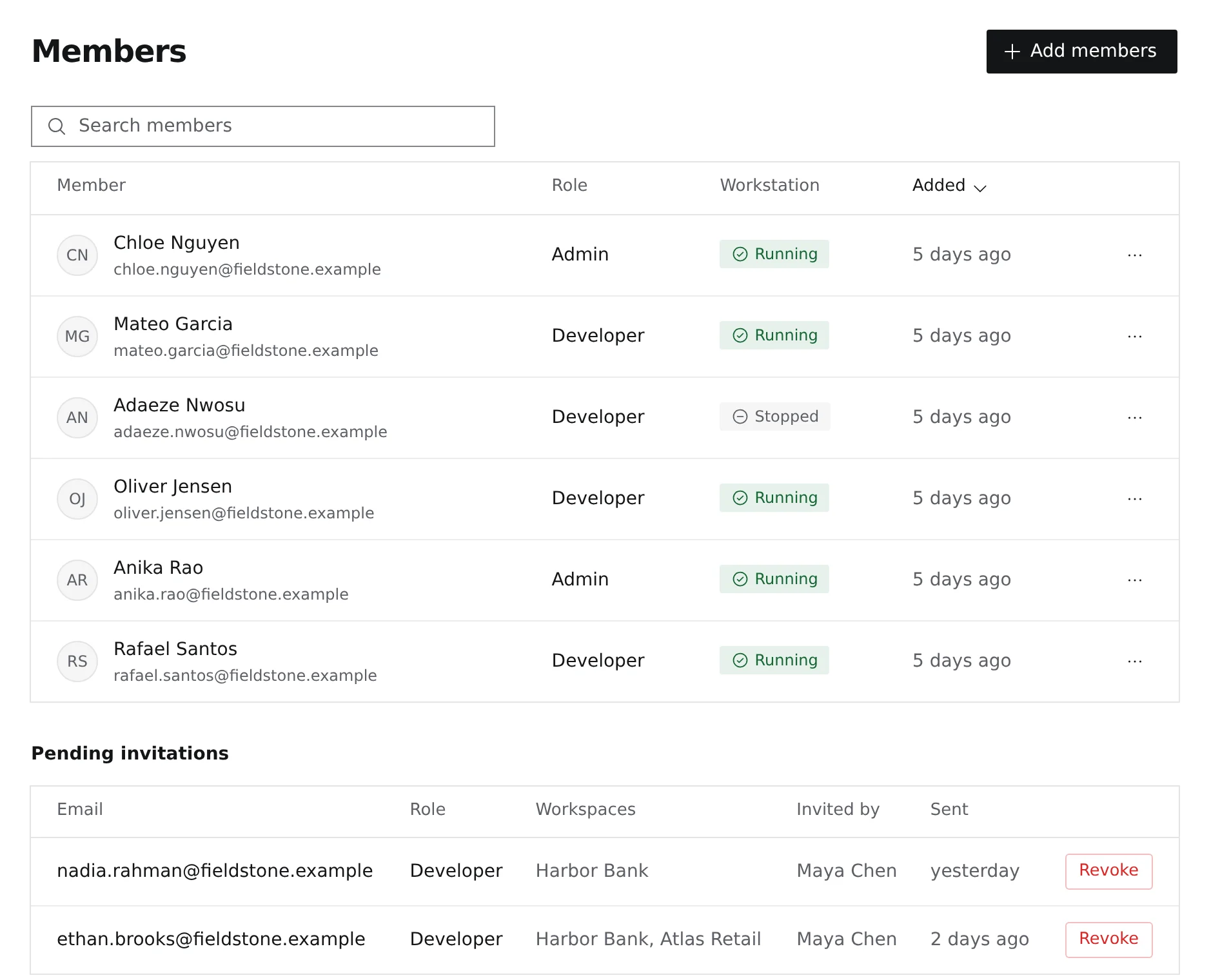
Invite engineers to the client's workspace with the role they need. They open a workstation with the client's repositories and tools already in place.
- Invitations by email, with a role per workspace
- Pending invitations you can revoke
- Workstation state for each member
Offboarding
When the engagement ends, access ends.
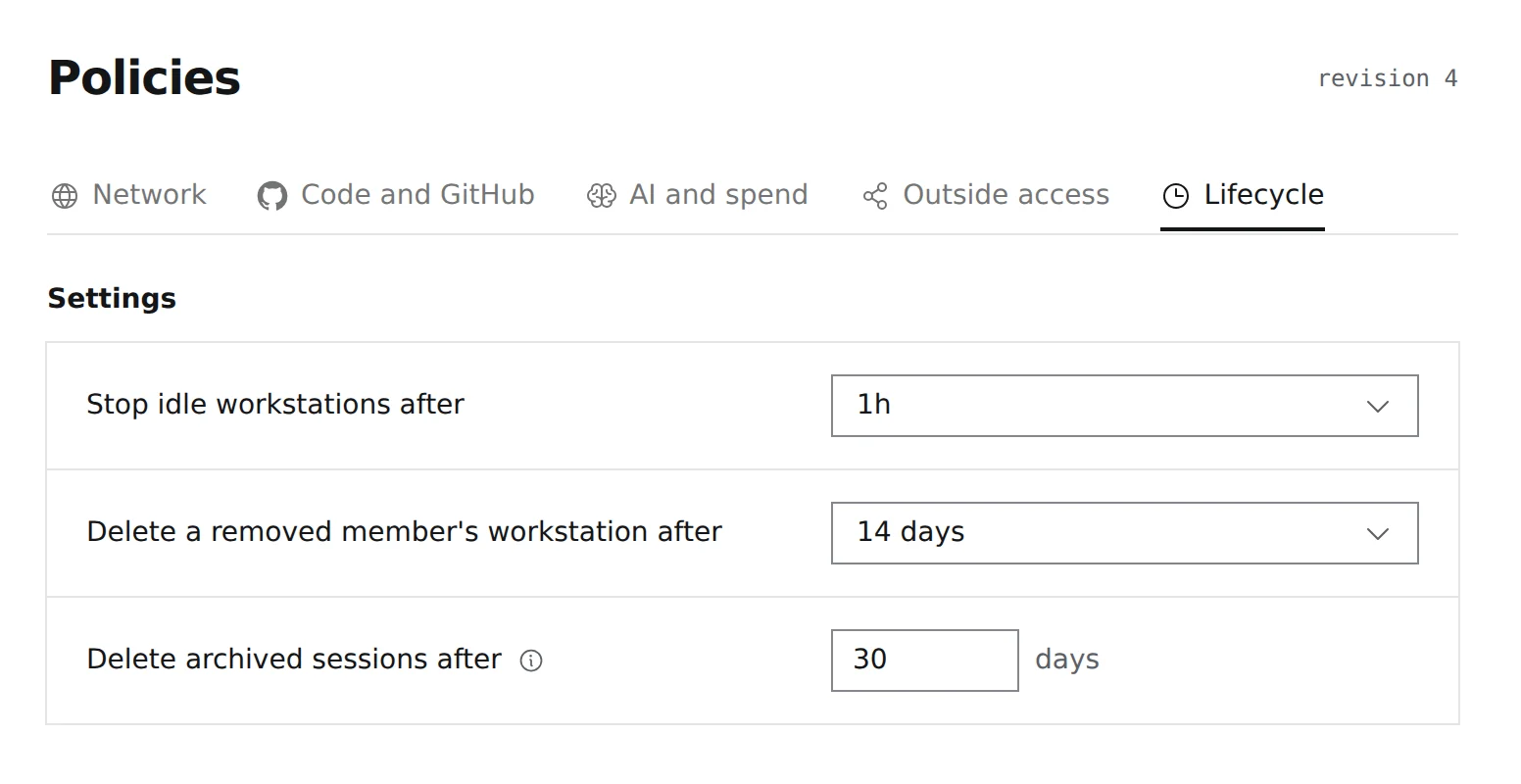
Removing a member closes their access to the workspace. Idle workstations stop on their own, and a removed member's workstation is deleted after the period you set.
- Idle workstations stopped automatically
- Removed members' workstations deleted on schedule
- Archived sessions deleted after a set number of days
Delivery
Know what AI costs on each engagement.
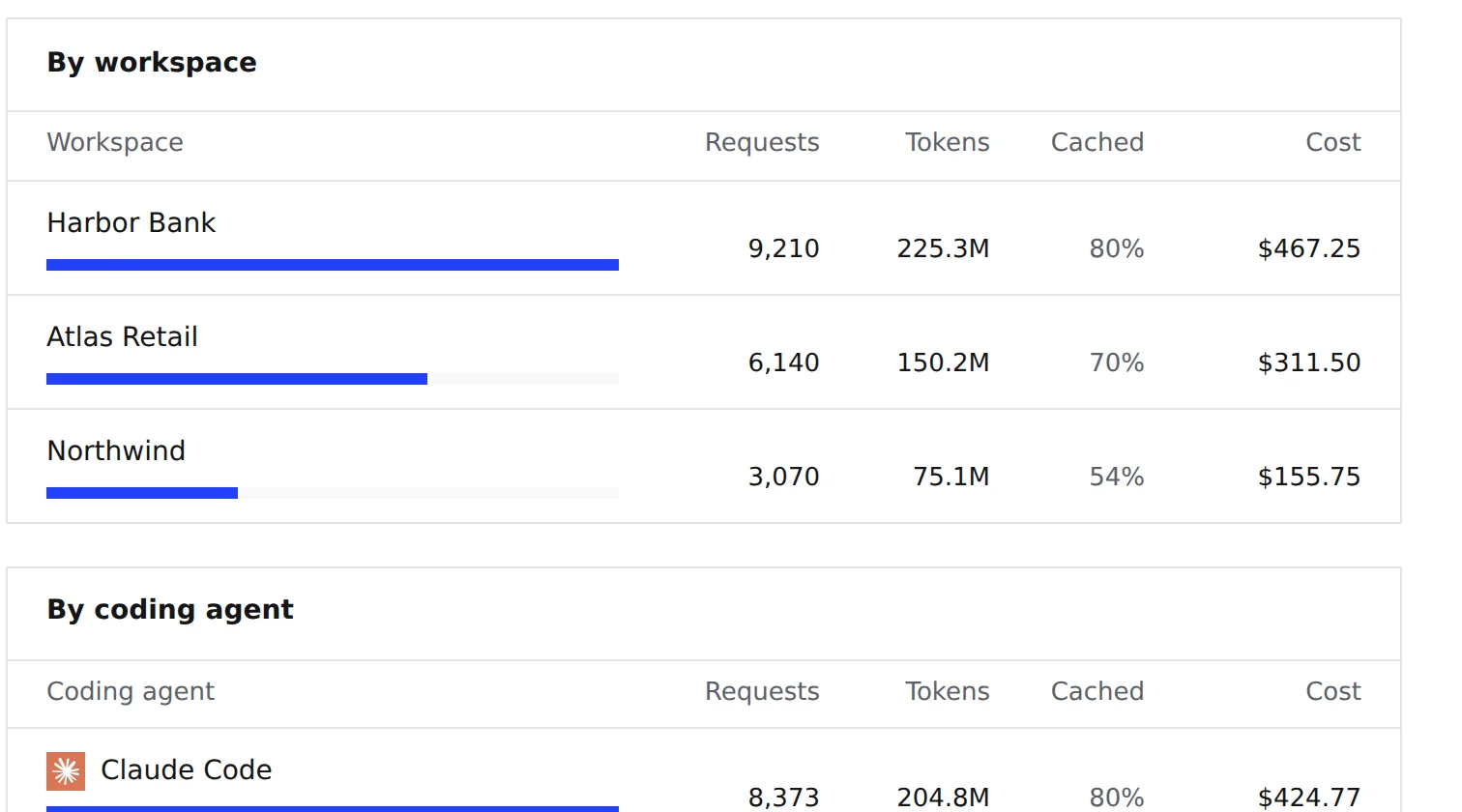
Every client workspace reports its own AI requests, tokens and cost, so you can budget and account for agent work client by client.
- AI cost per client workspace
- Requests and tokens per workspace
- Spend by coding agent
What your delivery leads and your clients get
- 01
Each client kept apart
Each client's tools and repositories live in its own workspace, so engineers move between engagements without rebuilding a machine.
- 02
Your engineers, the client's rules
Engineers and their agents follow the coding agents, AI providers and budget of each workspace.
- 03
Access that ends on time
Remove a member in one place, and their access and workstation go with it.
Deployment and governance
Controls your clients can review.
Show clients where the work runs, including on your own servers, who can reach it and what was recorded.
- Deployment
- All of KolaOS privately on your own servers, on premises or in a private cloud, your own AWS account, or KolaOS Cloud in the EU or US.
- Sign-in
- Single sign-on through your identity provider, required for every member if you choose.
- Records
- An audit log of access decisions and changes, and agent prompts kept as long as you set.
- Enforcement
- Access, merge rules and AI spending are enforced outside the workstation, not by settings an engineer can change.
Check the KolaOS security documentation to see what we cover.
Run every engagement from one place.
Give your engineers, contractors and AI agents a governed place to deliver.